The weight loss simulator that runs on your photo.
Forget sliders on a generic 3D dummy. Upload one photo and our AI runs the simulation on your real body — your face, your frame, slimmer. You'll also see the worst-case version of staying exactly where you are. The result looks like you, not a stranger.
Generated from your actual photo
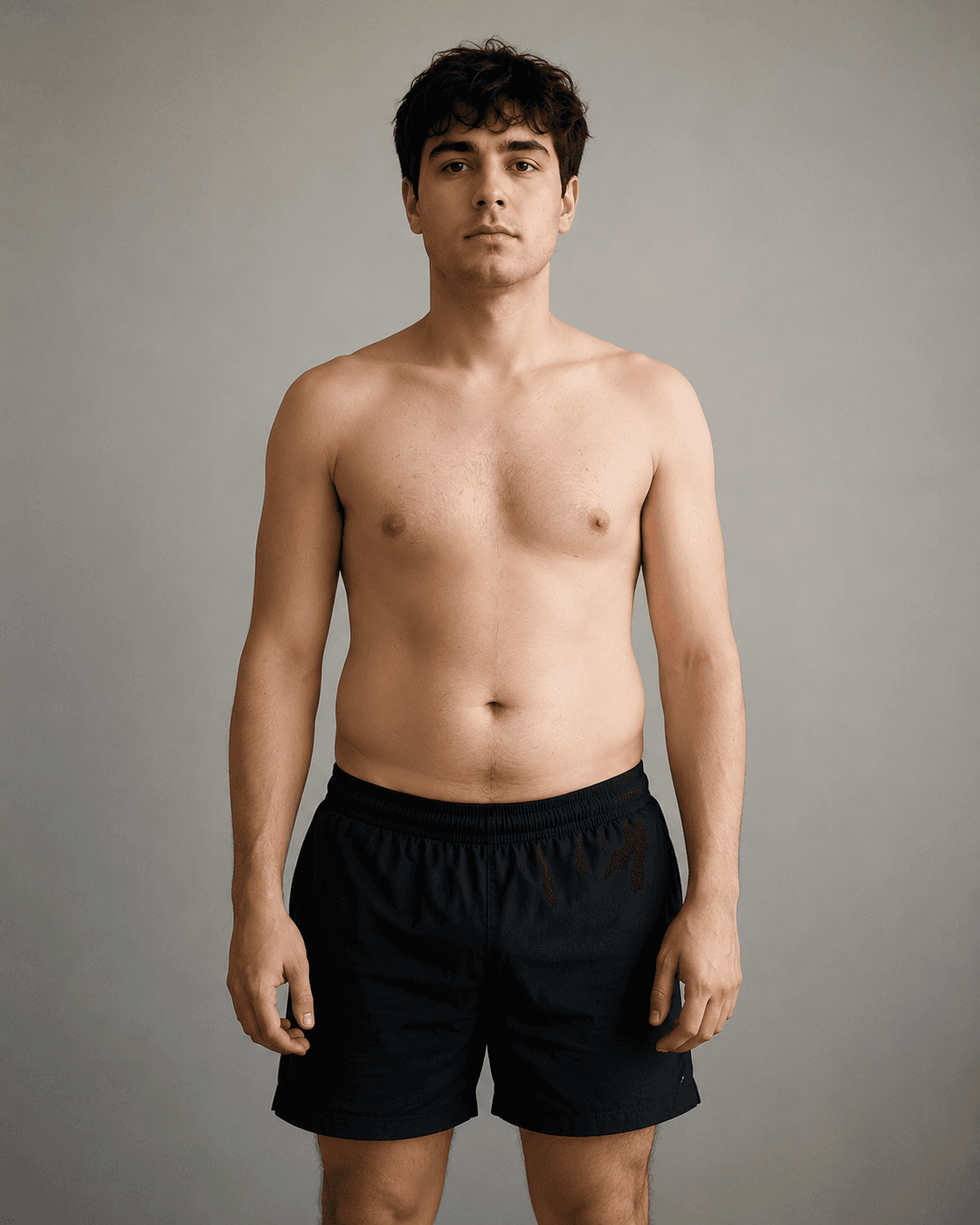 DAY 0
DAY 0Your photo, day 0
 DAY 90Realistic
If you stay consistent

 track real progress
 goals that stick
 nutrition that fits
 watch the scale drop
 build the habit
Free: your preview and projected numbers
$9.99 once: your slimmer self, face included, 12 renders and your plan
Your future body in 3 steps
Upload one photo
A clear, front-facing pic is all it takes. It stays private.
See your 90-day forecast
Our AI renders your realistic future body from your current habits.
Get your plan & track it
A 12-week roadmap plus weekly check-ins to keep you on pace.

Your transformation, week by week
See weeks 1, 4, 8 & 12 across 3 possible futures

Your exact macros
Calories, protein, carbs & fat dialed to your body

A 12-week plan
Training + nutrition schedule built around your habits

Your biggest lever
The one change that moves the needle most for you

Progress check-ins
Milestone emails at weeks 1, 4, 8 & 12 to keep you on track

Your weight projection
Realistic scale targets at weeks 1, 4, 8 & 12
What a weight loss simulator actually shows you
Most weight loss simulators online drop you onto a generic 3D figure and ask you to drag sliders for height, weight and body fat. The result is a mannequin that has nothing to do with you — so it never makes the goal feel real. A simulator that runs on your own photo is a different thing entirely: it keeps your face, your frame and your proportions, and simply shows them slimmer. That's the version your brain actually believes.
BodyTimeline reads one clear photo and renders two futures side by side: the leaner version of you after roughly 90 days of consistent effort, and the heavier path you're drifting toward if nothing changes. Seeing both at once is the part that sticks — it turns “I should lose weight” into a concrete picture of two very different yous, and a reason to pick one.
How to get the most realistic simulation
The simulation is only as good as the photo you feed it. Use a well-lit, front-facing shot where your body shape is visible — a plain top against a simple background works best. Avoid heavy filters, baggy clothing or extreme angles; they hide the proportions the AI needs to render a believable slimmer you. One good photo beats ten cluttered ones.
What it is — and isn't
Treat your result as motivation, not a medical forecast. It's a realistic, honest visualization of a healthier you — the kind a skilled artist might sketch — not a promise of an exact weight by an exact date. Real change still comes from the basics: a sustainable calorie deficit, steady movement and protein, and time. The simulator's job is to make that goal vivid enough that you actually start.
Questions, answered
What is a weight loss simulator?
It's a tool that simulates what your body would look like after losing weight. Most online simulators make you fiddle with sliders on a generic 3D dummy. BodyTimeline runs the simulation on your actual photo instead — the AI reads your real face, frame and proportions and renders a believable slimmer version of you, so the result looks like you and not a cartoon avatar.
How do I run the simulation?
Upload one clear photo and the AI does the rest — no sliders, no measurements, no goal weight to type in. In a few seconds it returns your simulated result: the leaner version of you after 90 days of real effort, alongside the path you're on if nothing changes.
Is the weight loss simulator free?
Yes — your first simulation is free. Upload a photo and you'll see your result in seconds, no payment to run it.
How realistic is the simulation?
It's a realistic, motivational visualization built from your real photo — not a medical prediction or a guaranteed outcome. Think of it as a skilled artist showing you a believable version of yourself lighter, to make the goal feel real and worth chasing.
Is the weight loss simulator accurate?
It's accurate as a likeness — the slimmer figure keeps your real face, bone structure and proportions, so it reads as genuinely you rather than a generic model. It is not a medical prediction of an exact future weight or timeline; think of it as a believable, motivating preview of where consistent effort can take you, not a guarantee of a specific number on the scale.
Does it work for both men and women?
Yes. The simulation reads whatever body is in your photo and renders a leaner version of it, so it works the same for men and women across a wide range of starting body types. You don't pick a template — your own photo is the template.
Do I have to enter a goal weight or body measurements?
No. There's nothing to type in — no goal weight, no measurements, no sliders. That's the whole point of running the simulation on a photo instead of a 3D dummy: the AI infers a realistic slimmer version of you directly from the image, so you get a result in seconds without doing any setup.
Weight loss simulator vs weight loss visualizer — what's the difference?
They're often used to mean the same thing, but most 'visualizers' just morph a stock body or slider model. A simulator run on your own photo is closer to a real preview: it simulates the change on you specifically. BodyTimeline does both jobs in one — it visualizes the slimmer you and shows the contrast with where you're headed if nothing changes.
How much weight do I need to lose to see a difference?
You don't decide that up front. The simulation shows a realistic, motivating amount of change for your starting point — enough to make the goal feel real without looking like a different person. The aim is a believable 90-day version of you, not an extreme or unrealistic transformation.
Is my photo private?
Your photo is used only to run your simulation. We don't post it or share it publicly, and it auto-deletes.
More ways to see your future self
Each one starts with one photo and a free preview. Pick the angle that fits your goal.
Weight loss visualizer
See what you'd look like after losing weight, from one photo.
Future body generator
Generate your future body and meet your future self.
Body after weight loss
Preview your physique after the weight comes off.
Face after weight loss
See how your face changes as you slim down.
Ozempic weight-loss calculator
Project your month-by-month GLP-1 transformation.
Before & after generator
Make your own weight-loss before and after from one selfie.
What will I look like if I lose weight?
Stop guessing. See yourself lighter from one photo.
What will I look like on Ozempic?
See your GLP-1 body before you start: Ozempic, Wegovy or Mounjaro.
What will I look like on Mounjaro?
See your tirzepatide body before you start: Mounjaro or Zepbound.
Goal weight visualizer
See yourself at your goal weight. Put the finish line in front of you.
Body visualizer
Your real body, not a 3D dummy. Visualize it from one photo.
What would I look like skinny?
See a realistic, thinner version of yourself in seconds.
What will I look like if I lose 50 pounds?
Put a real face on your goal. See yourself 50 lbs lighter.
What will I look like if I lose 20 pounds?
Will 20 lbs even show? See the face-and-waist difference on your own photo.
What will I look like if I lose 30 pounds?
The point where people start noticing. Preview 30 lbs lighter on your frame.
What will I look like if I lose 40 pounds?
The in-between goal: a clearly changed face and waist, 2–3 clothing sizes.
What will I look like if I lose 60 pounds?
Not just slimmer, but a genuinely different silhouette everyone will notice.
What will I look like if I lose 80 pounds?
Transformation territory: a changed face and frame, previewed honestly.
What will I look like if I lose 100 pounds?
A different body, honestly shown: face, frame and the loose-skin question.
What will I look like on Wegovy?
Semaglutide, same as Ozempic. See your own face and frame slimmer before you start.
What will I look like on Zepbound?
Tirzepatide, same as Mounjaro. Preview your result from one photo.
Best weight loss simulator (compared)
All 13 tools compared honestly, including three that beat us at specific jobs.
Fat to fit
Watch yourself go fat to fit: a real fit version of you, not a skinny filter.
What will I look like if I lose 10kg?
The first amount other people notice, about a clothing size, on your own frame.
What will I look like if I lose 20kg?
The “different photo” amount: 2 to 3 sizes and a visibly changed frame.
What will I look like if I lose 30kg?
A changed silhouette and face, previewed honestly, plateaus and all.
What will I look like if I lose 25 pounds?
The first goal that actually shows: face and waist change first.
What will I look like if I lose 70 pounds?
Something to look at when the scale stalls: the long road, rendered.
What will I look like in 3 months?
Your 90 days at weeks 1, 4, 8 and 12, across three different paths.
What will I look like on semaglutide?
The ingredient behind Ozempic and Wegovy. See it on your own face first.
What will I look like on tirzepatide?
The ingredient behind Mounjaro and Zepbound, previewed on your frame.
What would I look like without belly fat?
You can’t spot-reduce, but here’s where the change actually shows.
Before & after gallery
See real example AI transformations: a 90-day timeline from one photo.
Weight loss guides
What changes first, how long it takes, and how far to trust these tools, including ours.